Posts

Grading to Support Learning

Image
Grading should support the learner by being meaningful, accurate, consistent, and encouraging. Grades should encourage student success and the learning process by providing a valid measurement of student performance and achievement. The frustration is, there is nothing consistent with grades. We all grade differently. It's subjective no matter how we look at it because how one teacher would grade something is different than the teacher next door, which is different than the teacher across the district, which is different than the teacher in another district.  What would happen if teachers forgot how they were graded when they were in school, and instead used a grading system that fostered student learning? What would that look like?  #1 Academic achievement is separate from learning dispositions and behaviors Academic grades should measure the student's learning, and be a valid reflection of what the student has mastered according to the state (or district) standards...
Building a Learning Culture

Image
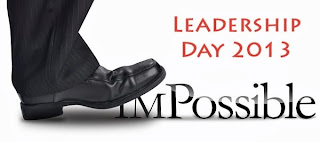
Professional development manifests itself in many ways online and in person. It takes place through conversations, classes, Twitter chats , workshops, blogging, book studies, challenges, team meetings, etc. Leadership Day 2013 Image by Scott McLeod Model what you want to see Sometimes the best professional development comes informally through the behaviors of others, influencing how I think and what I think about. I learn so much from my children. We have fabulous conversations about life, they share new perspectives and creative solutions with me. They also teach me how to be a better person through their inquiries and their behaviors. I do my best to be a good model for them, but some of their behaviors are ones I'd like to see change, but no matter how much we talk about it, they continue with the same behaviors. That's when it dawns on me, they are behaving the way we the parents are behaving. So, if I want their behaviors to change, it means my behaviors have t...

How are We Using Technology in Classrooms?

Image
Technology has changed how we do things in our daily lives such as shopping, banking, communicating, and it has changed how we should do school. Photo Credit: Reeding Lessons via Compfight cc When I was a child, I remember spending so much time going through microfiche to find just the right bit of information to share with the teacher. In those days, finding the right information and recollecting that information was the mark of a good student. Today, knowledge and information is at our fingertips. In fact, there is so much information that it's tough to know where to start and what's the best source to use. Therefore, accessing the right information at the right time is more important than just finding information. Focusing on skills rather than knowledge is a shift in how we do school. It changes what students are taught and how they are taught. What do these shifts look like in the classroom? This type of learning is easy to capture because there are ...

One-to-One Key Ideas: Focus on Learning

Image
One-to-One is a learning initiative, not a technology program. It's not about shiny objects; it's about how the technology is used, and giving all students ubiquitous access to use it. Task predicts performance Students can use the same cool tool for lower-level thinking and higher-level thinking. Externally, the product may look the same (such as a presentation made with Prezi), but the learning outcomes would be quite different when they use it for higher-level thinking . If the student task predicts their learning outcomes and academic performance, then creating a learning task at Webb's Depth of Knowledge Levels 3 or 4 is the goal. How do you want students to use technology in the classroom? 9 Wrong And 8 Right Ways Students Should Use Technology on Edudemic focuses on technology, a tool, being used for learning outcomes. Some rights reserved   CC by William M Ferriter -- via Edudemic via George Couros Strong ways for students to use technology...

RSS through Feedly

Image
Living in an age with information at our fingertips can be challenging when there's so much of it. That is why it's important to prioritize and focus on the content I want. One tool that helps with that focus is Feedly , a RSS tool. RSS stands for Really Simple Syndication. However, when I see "RSS" I think of it as "Read So Simply," because that's what it does -- it takes the blogs and news articles I want to keep an eye on, and collects it for me in one organized place to let me know when it's been updated. The importance of RSS RSS is important for several reasons. It saves time on the information highway because the resources I want to learn from come straight to me. While I could ask for it to be emailed to me, let's be honest, I don't want all those emails! With RSS, I can pick and choose when to go visit those resources. As a member of the blogosphere , reading other people's blogs is an important part of the blogging proce...

Using Google in Interesting Ways--Learned at ISTE13

Image
One goal at ISTE13 was to learn more about the hidden world of Google -- the scripts, extensions, and apps. I honestly wasn't aware of them until I read Linda Yollis' post after she went to the Google Teacher Academy... which led me to a post by Amy Mayer at friEDTechnology , with her video explanation/tutorial: After watching the above video, I decided I needed to learn more about what Google offers. At ISTE13, I attended several sessions which added to this quest, including Cool Google Tools for the BYOD Classroom by Tammy Worcester , and Real World Math Lessons with Google Earth by Thomas Petra . Google tips learned from Tammy Worcester: Locations and Google Forms : In a Google Form, collect a location and some interesting facts, then place the data in batchgeo to create a map with pins noting the interesting facts (which can be embedded in a blog post or web site to share with others). For example, pick a dream vacation spot and share why; research state land...

Close Read Complex Text, and Annotate with Diigo--Part 3

Image
Close reading is a strategy for reading complex text . In Part 1 , the focus is how to do a close reading. The focus in Part 2 is how to annotate with iPads. The focal points of this post are the teacher steps in close reading; how to create text dependent questions for informational text in 6th-12th grades; annotating in Diigo; and creating writing activities to go with close reading. Click here to download as PDF Below are the teacher's steps for creating a close reading lesson. However, the student steps are in the poster shown on the right: Teacher Step 1 : Choose the text Choose a short and difficult text to do a close reading on. It should be at the frustration reading level . Some examples to choose from for informational text are short speeches (or excerpts from a speech); research; paragraphs or chapters from biographies, memoirs, or historical accounts to name a few. Teacher Step 2: Planning Plan and do what you expect your students to do. Decide ...